
Understanding Interactions and Clickthroughs in Metrics
Two terms you may come across in these reports are Interactions and Clickthroughs. Their meanings can vary depending on which report you are viewing.
What are Interactions?
The term Interactions is used in both Chat and Internal Knowledge reports. However, it represents different activities depending on the report.
Interactions in Chat reports
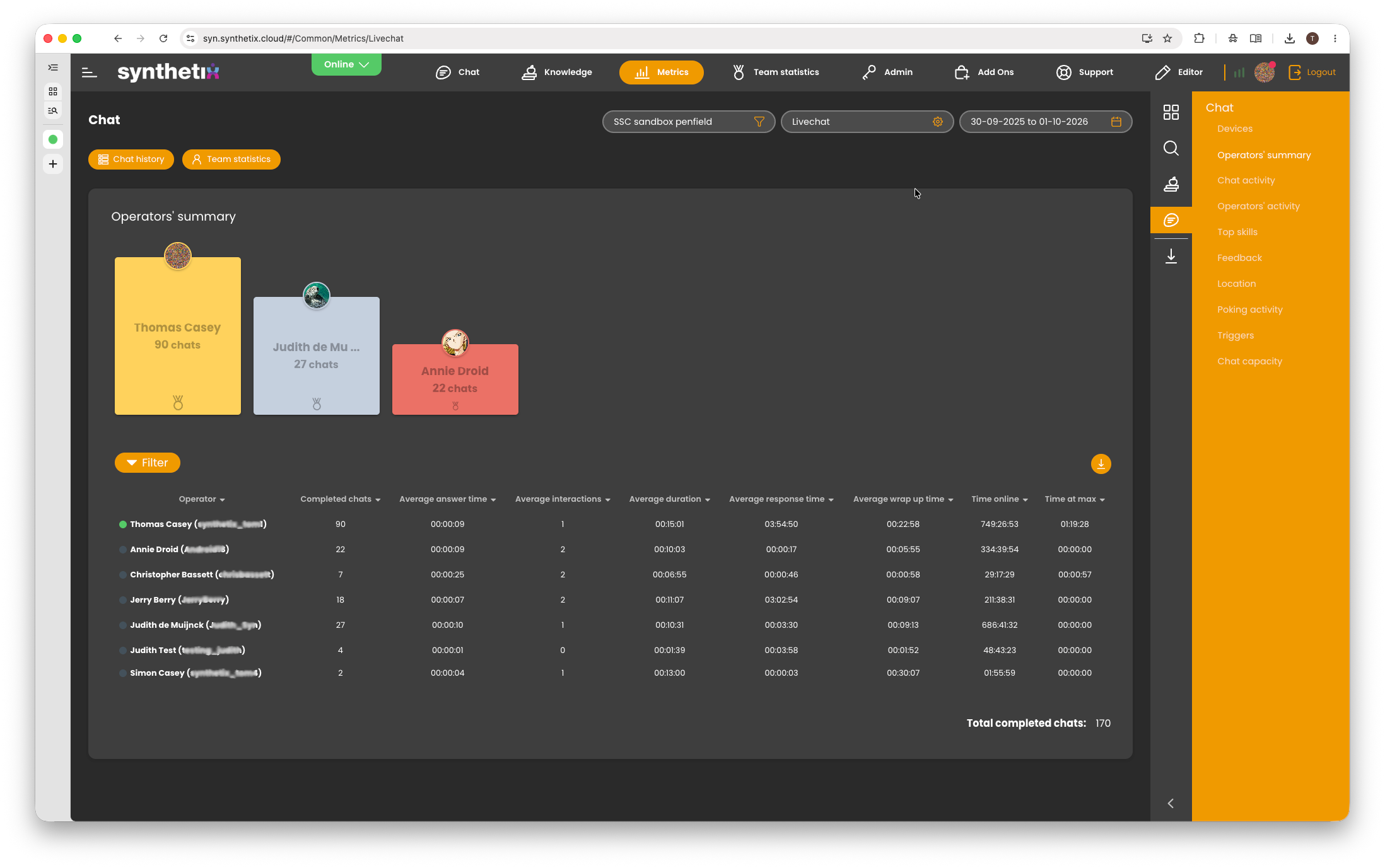
In Chat reports, an interaction generally refers to a message sent by an operator during a conversation with a customer.
For example, under Metrics > Chat > Operators' Summary, you will see a column labelled Average Interactions.
If an operator has an Average Interactions value of 10, this means that they sent an average of 10 messages to customers per chat.
Interactions in Internal Knowledge reports
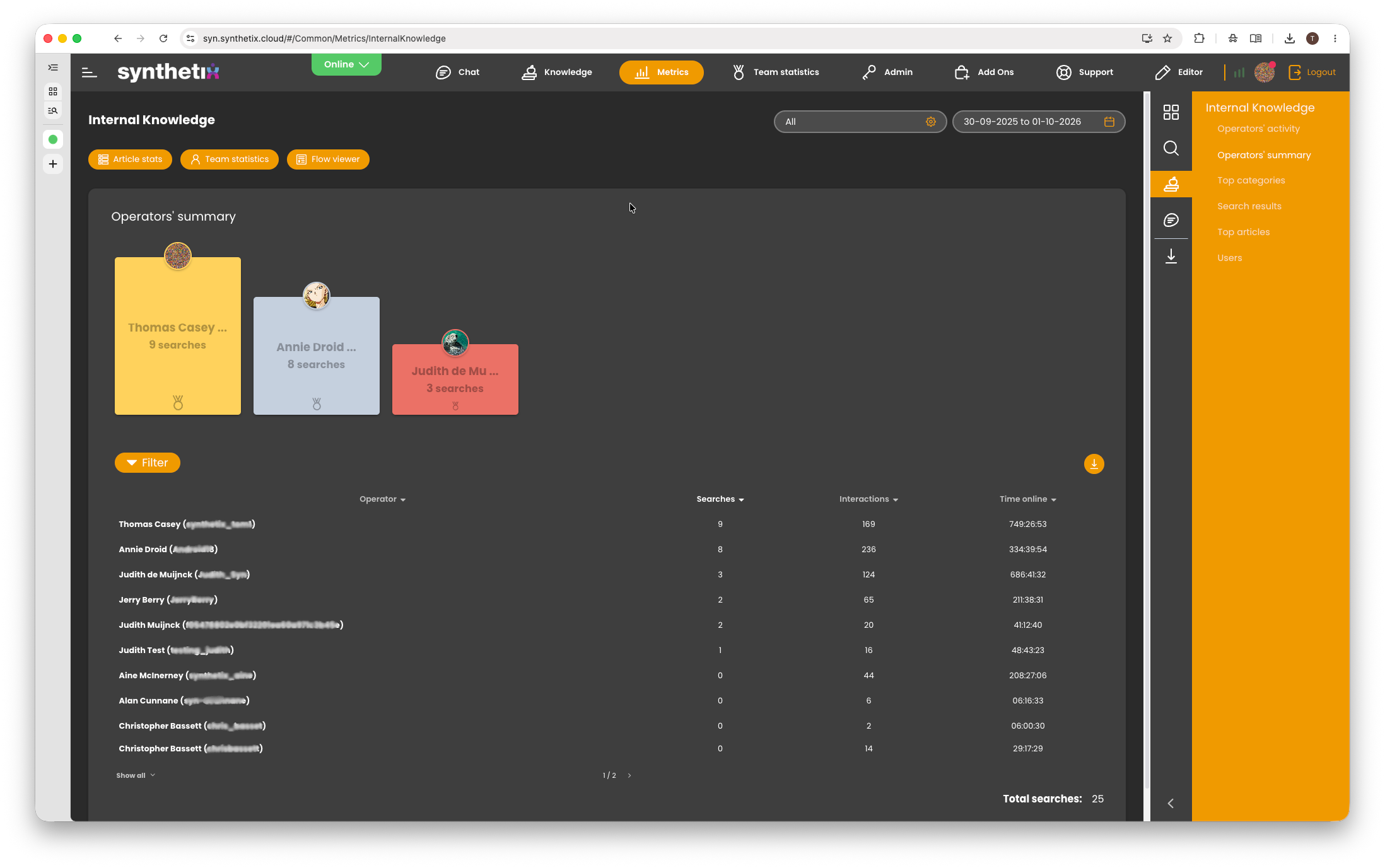
In Internal Knowledge reports, interactions refer to activities carried out by operators when using the knowledge base.
For example, under Metrics > Internal Knowledge > Operators' Summary, an interaction can include:
- A search query returning no results.
- Viewing a knowledge base article.
- A search query returning a single article.
- A search query returning a recommended result.
- A search query returning multiple results.
Essentially, these interactions represent how operators are using the knowledge base to find and access information, including when assisting customers during chats.
What are Clickthroughs?
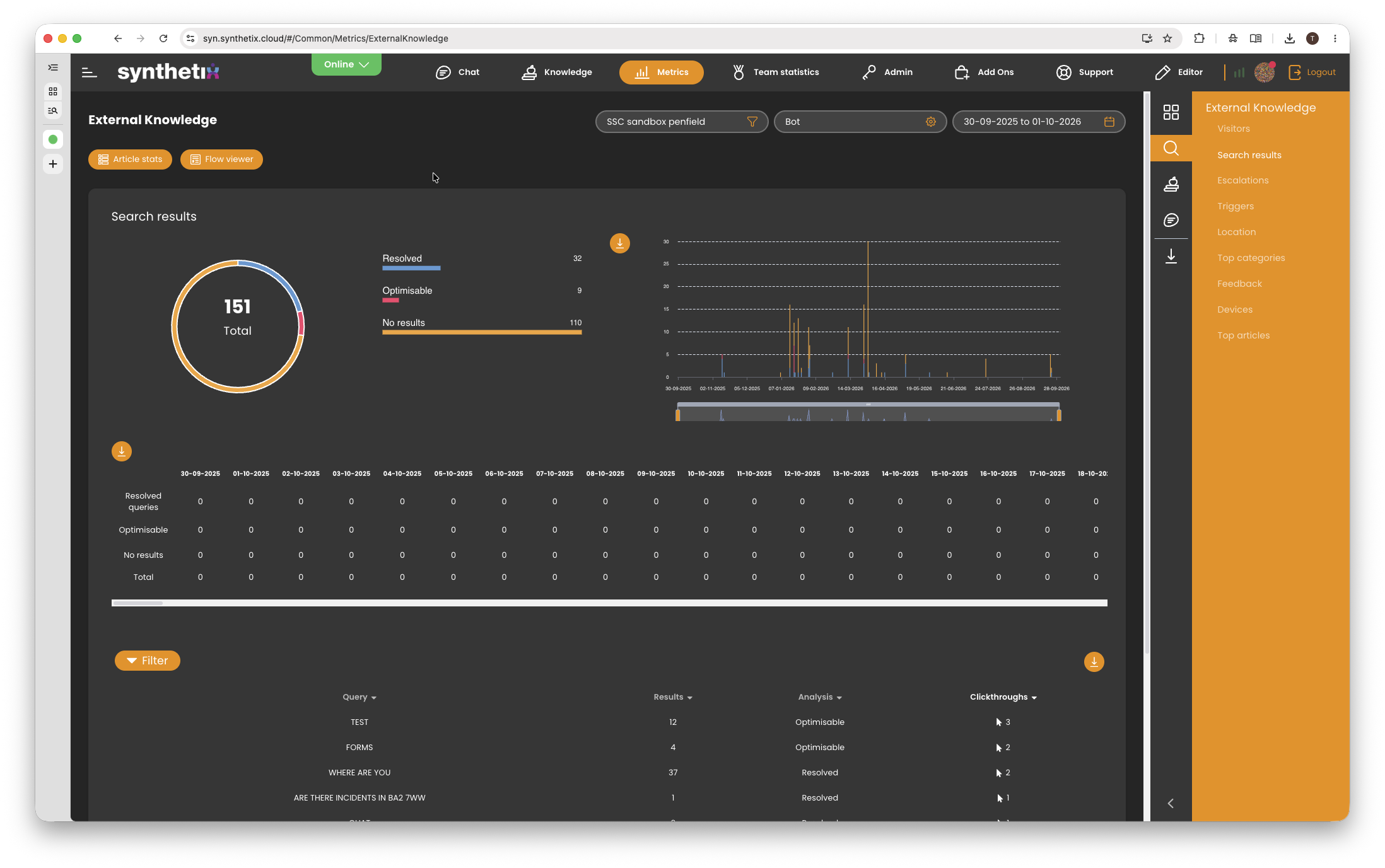
The term Clickthroughs appears in the Knowledge > Search Results and Internal Knowledge > Search Results reports.
In a traditional FAQ or knowledge base, a clickthrough typically occurs when a user selects an article from a list of search results to view its content.
However, when the same reporting terminology is applied to chatbot conversations, the behaviour is slightly different.
A chatbot can automatically return a recommended article or response without requiring the customer to physically click anything.
Example 1: Single recommended article
A customer sends a message to the chatbot, and the chatbot identifies a single recommended article or response.
The chatbot automatically presents this recommendation to the customer.
In this scenario, a clickthrough is recorded automatically, even though the customer has not physically selected or clicked an article.
Example 2: Multiple search results
A customer sends a message to the chatbot, and several possible matching articles or responses are returned.
Rather than automatically presenting a single recommendation, the chatbot displays the available results for the customer to choose from.
When the customer selects one of these results, a clickthrough is recorded.
In this scenario, the clickthrough represents an actual selection made by the customer.
Does a Clickthrough always mean someone clicked an article?
No. A clickthrough does not necessarily mean that a customer physically clicked or selected an article.
Depending on how the information is presented, a clickthrough can represent:
- An automatic recommendation: The chatbot returns a single matching article or response, which is automatically counted as a clickthrough.
- A manual selection: The chatbot presents multiple results, and the customer selects the most relevant option.
The Clickthroughs metric originates from traditional FAQ and knowledge base reporting, where users would typically search for information and manually select an article.
The chatbot uses the same underlying reporting terminology, with additional chatbot-specific behaviour.
This is why the term Clickthroughs can sometimes be misleading when reviewing chatbot reports, as it does not always indicate that a customer has physically clicked something.
Summary
| Metric | Report | Definition |
|---|---|---|
| Interactions | Chat | Messages sent by an operator during a customer conversation. |
| Interactions | Internal Knowledge | Activities carried out by an operator when searching for or accessing knowledge base content. |
| Clickthroughs | Knowledge / Internal Knowledge | A recorded selection or recommendation of a search result. Depending on the context, this may be automatic or require a manual selection. |
Important: When reviewing Metrics reports, always consider which service and report you are looking at, as the same terminology can represent different types of activity.
